
Rider account
Your starts, wherever you rode.
Sign in to see your riders, club connections and server-rendered replays.
Continue with GoogleNo connection
You're offline.
Reconnect to see your riders, clubs and saved starts.
A start recorded now is saved on this phone and uploads itself when you have signal.
Account dashboard
Welcome back.
Your riders and every start assigned to them live here.
Replay library
Previous sessions
Your account
Riders
Every account holder is an adult. A child may only ride with their parent or legal guardian physically present.
Rider history
Connected organisations
Your clubs
Club licences cannot currently be removed. Cancellation controls are required before paid club access opens.
Start block markers
Set up your block
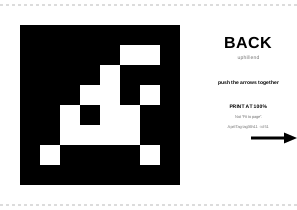
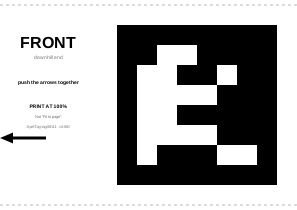
Print both sheets at 100% / actual size. Do not use “fit to page”. Each sheet includes measurements so you can check the print before mounting it.
Mounting
Place both sheets on the camera-facing side
- Use a block about 15–20 cm wide and about 20 cm high (one printed sheet high).
- Put the back sheet at the back and the front sheet at the front, with their arrows meeting.
- Keep the bottom edges straight and less than 1 cm above the ground. The top edge should meet the top of the block.
The block is your responsibility. Perfect Start does not specify its materials or construction. Choose or make a block that is stable and suitable for the rider to start from, and securely attach the marker sheets to it.